Understand the signals
Explore trends across application pacing, sources, schools and events—and examine what may be driving them.
AI / INSIGHTS / STRATEGY
Conversational Linked Analysis, Insights & Recommendation Engine
Explore what’s happening, weigh possible responses and develop practical next steps—with the supporting evidence within reach.
Explore the screenshotsDesigned and built by David Dysart.
INSIGHTS / STRATEGY / NEXT STEPS
CLAIRE helps your team explore what’s happening, understand what may be driving it, weigh possible responses and develop practical next steps—with the supporting evidence within reach.
Ask across applications, schools, recruitment sources, events and student journeys. Follow-up questions help test explanations, compare populations and refine a strategy. Bounded, read-only calculation tools ground the conversation in reporting dates, filters, denominators, tables and charts.
Save useful analyses and recommendations with their evidence. Reopen the thinking, continue the conversation and share PDF briefs, charts, evidence CSVs and unsent email drafts.
Implementation is tailored to your institution’s data sources, reporting definitions and access requirements.
THE WORKFLOW
Explore trends across application pacing, sources, schools and events—and examine what may be driving them.
Weigh possible responses, compare options and develop practical next steps through conversation.
Inspect the filters, reporting dates, tables, charts and denominators behind the analysis.
Save analyses and recommendations, continue the conversation and share useful briefs and evidence.
INSIDE THE WORKSPACE
Select an image to enlarge it. Press Escape to return.
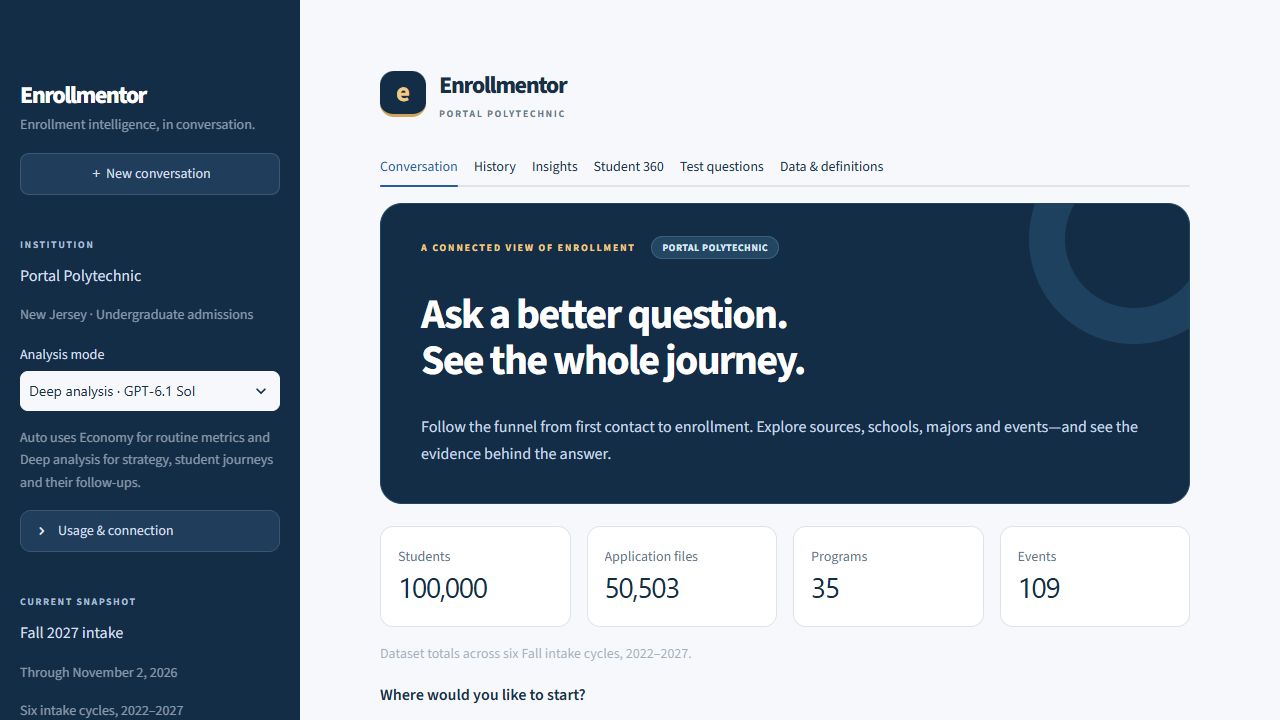
The workspace and connected records at a glance.
Open original imageA natural-language question answered with comparable application and applicant counts.
Open original imageSubmitted applications compared at the same point in two recruitment cycles.
Open original imageInquiry-to-application conversion by geography and pre-application event exposure.
Open original imageSchool, major and source context alongside a dated student journey.
Open original imageSearch saved analyses and choose how to continue.
Open original imageDownload a chart, decision brief, evidence file or unsent email draft.
Open original imageDOCUMENT PREVIEW / FIRST REPORT PAGE
The downloadable brief keeps the question, answer, comparison table and reporting filters together.
Open original imagePUT IT TO WORK
Bring your enrollment questions, priorities and decisions to the conversation.